
A market report should start a conversation—not end as a PDF.
Agents already have useful local knowledge. The hard part is turning it into consistent social content without rebuilding charts, rewriting the story, and redesigning every format. Market Report Social Campaigns give the data a low-friction first job: earn attention and create a reason to talk.
Build a full report, send it cold, and hope the recipient has enough time and intent to open a multi-page PDF.
Start with an easy-to-consume social update. When someone engages, offer the full report while the market is already on their mind.
Create an update for your farm area, a neighborhood you serve, or the market around a listing. That makes it an easy social activation tool even when your listing calendar is quiet.
The tool accepts up to five five-digit U.S. ZIP codes at a time and creates a separate campaign for each ZIP.
Give old leads a useful reason to hear from you again.
“Just checking in” puts all the work on the recipient. A local market update brings something concrete to the conversation: what inventory, pricing, and market pace look like in a ZIP they already care about.
Share the ZIP they asked about before. The update can reopen the topic without pretending their plans have not changed.
Use a regular market post to stay visible between direct follow-ups and give people an easy way to raise their hand.
Publish consistently around the same geography so your name and local knowledge become familiar before someone needs an agent.
Give people a clear, shareable explanation of the market instead of asking them to interpret a wall of statistics.
A like or reply is permission to continue the topic, not proof that someone is buying or selling. Keep the first response helpful and let the person tell you what they need.
Here is the actual campaign for 90210.
This sample uses an August 2026 snapshot covering the previous three months. ListingAI turned the available listing activity, price distribution and days-on-market data into one five-part narrative, then recomposed it for Post, Story and Reel.
90210 Market · August 2026
The sequence begins with a real map, explains the price and pace data, translates the numbers into a useful planning framework, and closes with Alex Morgan's branded next step.
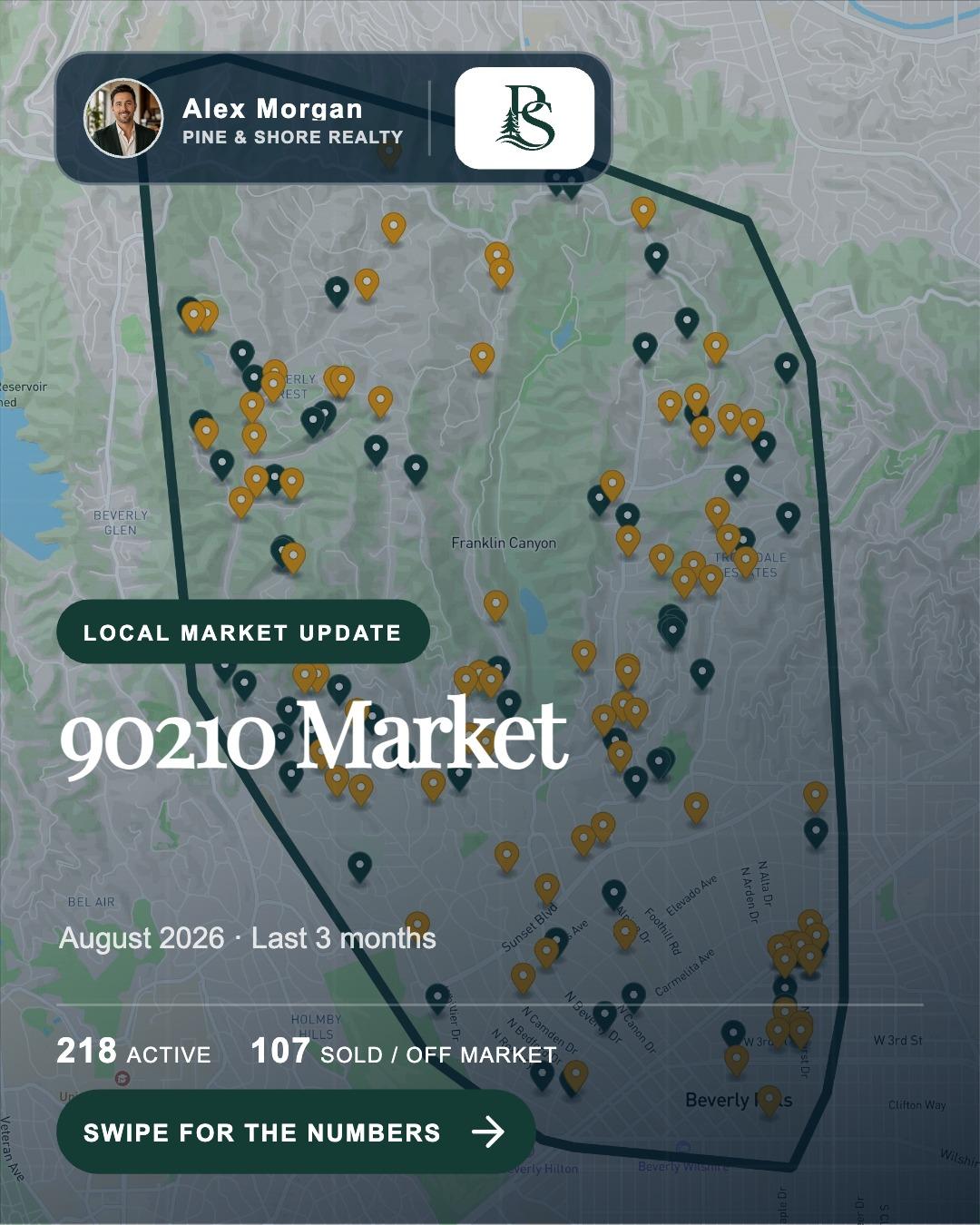
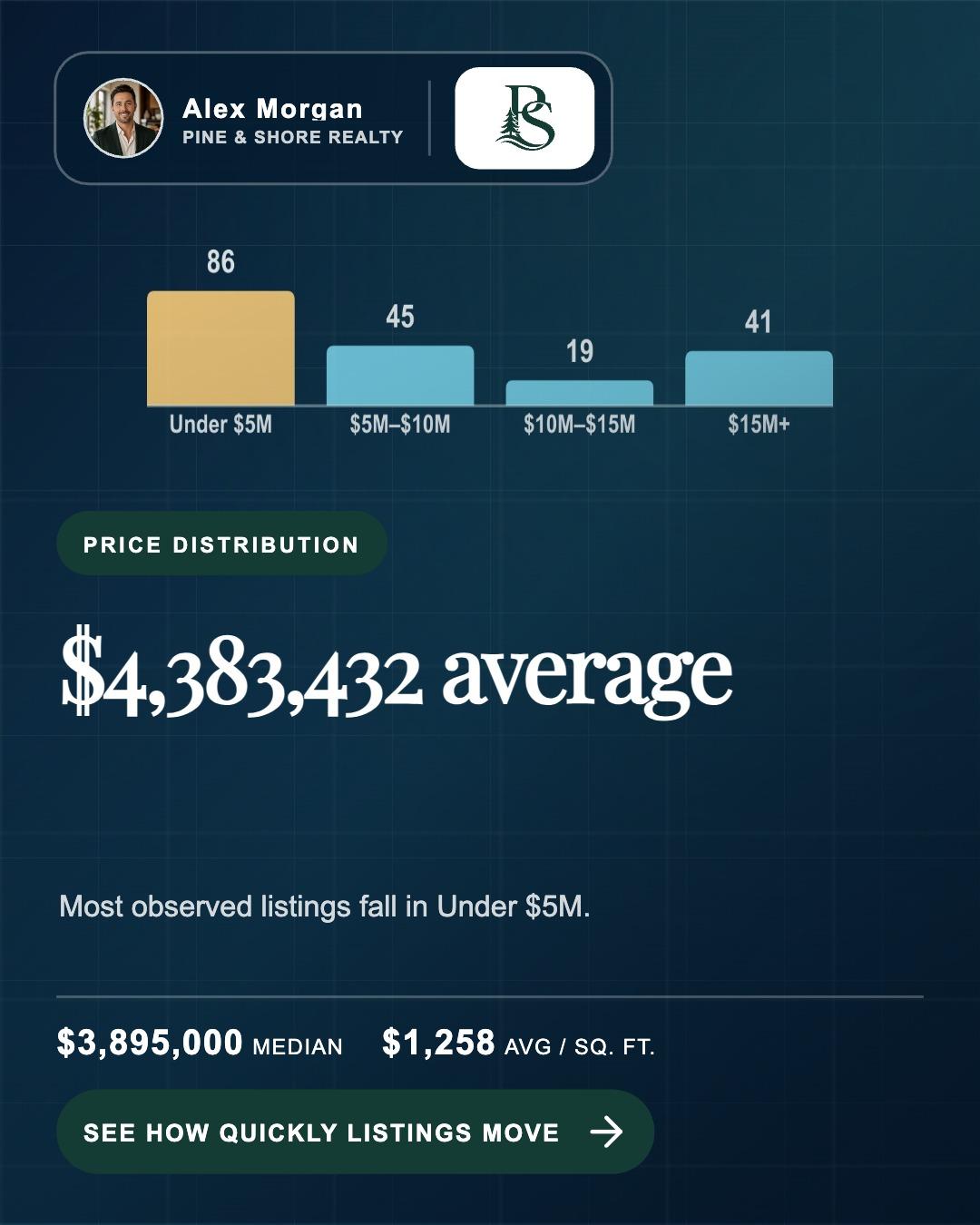
The map earns attention; the data earns the swipe
The carousel opens with market geography, then turns the observed price distribution into a clear visual buyers and sellers can understand.
- 86 observed listings under $5M
- $3.895M median and $1,258 average per square foot
- Readable labels and one conclusion per slide
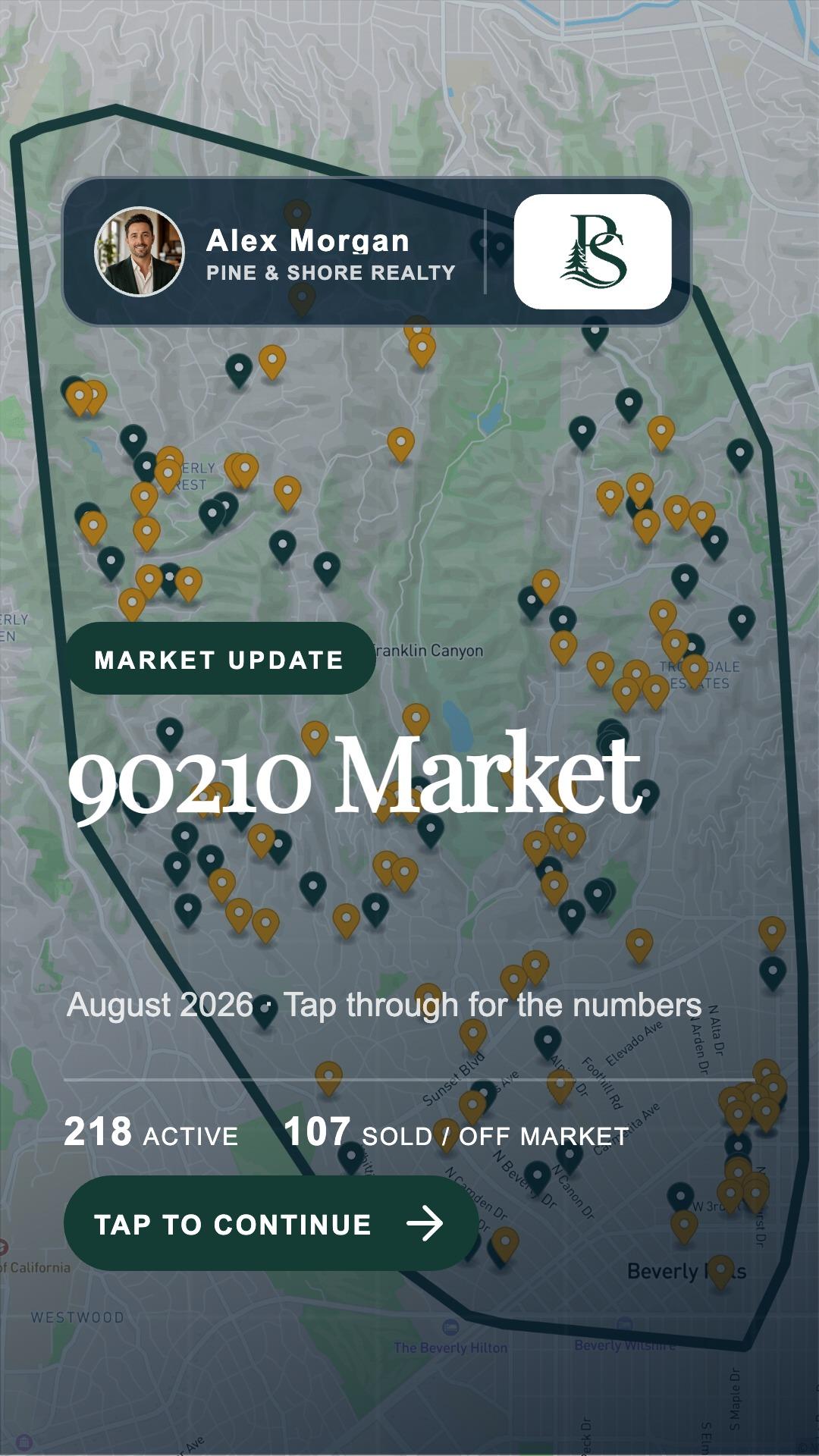
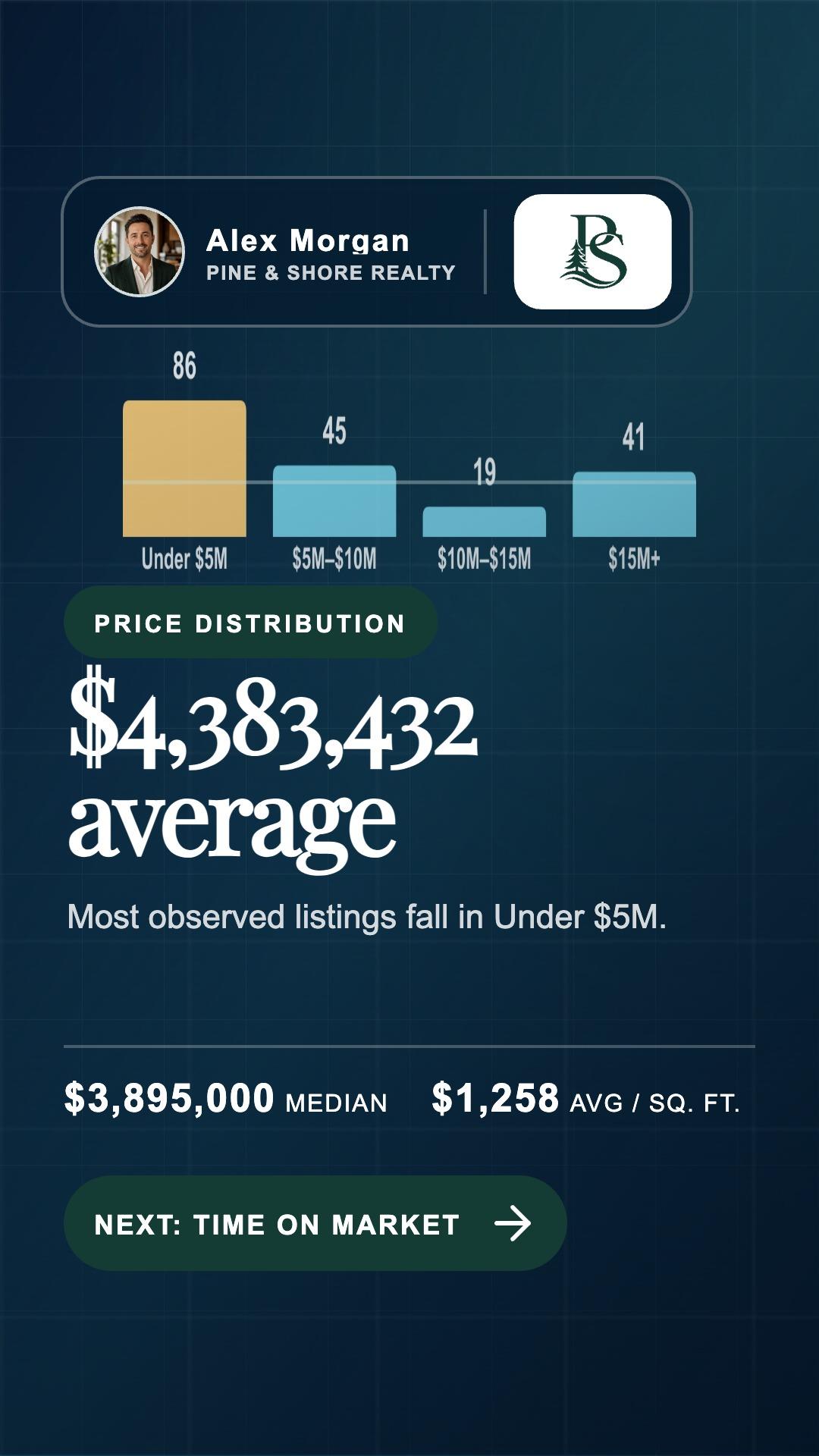
The same facts, rebuilt for a phone
The Story uses the full vertical canvas, larger type and one focused idea at a time to make local market data easy to follow.
- Consistent agent identity throughout
- Short labels that remain readable at Story scale
- All five parts of the market story are preserved

The Reel moves through the same evidence
The map, price distribution, market pace and agent close become timed scenes with transitions and sound. The call to action is part of the story—not a generic logo card.
- Scene timing stays editable
- Standard motion or Cinematic animation can be applied
- The Reel ends on a specific price, position and launch framework
The numbers above are the values used in this sample export. Source coverage and current values vary by market and report date.
The numbers lead somewhere useful.
ListingAI builds a progression people can follow: where the market is, what prices look like, how quickly homes are moving, what the signals mean, and how the agent can help next.
Available listings and market activity are placed on a real map so the geography is more than a ZIP code label.
Price distribution and market trends are visualized with real values, formatted labels, and enough contrast to understand quickly.
Days on market, active inventory, and recent movement are organized into context—not presented as isolated vanity metrics.
The campaign ends with the agent, brokerage, contact details and a useful invitation to discuss the viewer's own move.
Market data can change and source coverage varies. The editor keeps every slide visible and editable before you send the campaign to Social Planner.
When someone engages, send the detailed PDF version.
The social campaign is the invitation; the full Market Report is the useful follow-through. It gives an interested lead the charts, local context, listing activity, and deeper explanation that would be too dense for a feed post.
- 1Treat engagement as a warm signal
A like, reply, share, or question gives you a timely reason to reconnect. Respond to what the person actually did; do not assume they are ready to transact.
- 2Ask permission before sending more
Try: “I have the full report for this ZIP too—would you like me to send it?” That keeps the follow-up useful and low pressure.
- 3Create the detailed PDF
Open Account → Market Reports on desktop, or Tools → Market Reports on mobile. Use the same ZIP and reporting period so the social post and report tell one consistent story.
- 4Send it with one useful question
Attach the PDF with a short note and ask which part matters most: pricing, inventory, timing, or what the numbers could mean for their own move.
For U.S. markets, open Account → Market Reports on desktop or Tools → Market Reports on mobile. Or go straight to the detailed Market Report builder →
Four steps from ZIP codes to follow-up.
- 1Choose the markets
Enter one—or up to five—five-digit U.S. ZIP codes and a reporting period. ListingAI prepares a separate campaign for every ZIP you enter.
- 2Review the real story
ListingAI organizes the available market data into pricing, inventory, pace, context, and a useful agent-led call to action.
- 3Use your brand
Your selected colors, agent details, headshot, and brokerage identity are applied consistently across each format.
- 4Publish, listen, and follow up
Send the Post, Story, Reel—or all three—to Social Planner. When someone engages, offer the detailed PDF report as the natural next step.
Market updates and listing campaigns work together.
Use Listing Campaigns to market a specific property, then use a Market Report Social Campaign to demonstrate the local expertise behind the listing. Both flows hand off to the same Social Planner.
See how Listing Campaigns work →Start with the social update. Be ready with the deeper answer.
Choose up to five U.S. ZIP codes, review each prepared Post, Story, and Reel campaign, then use the detailed PDF when someone wants to understand more.