Register
Now available · Multi-angle room staging Beta

Same room. Same furniture. Every angle.

Upload your room photos. Approve a look you love, then carry it into the other views.

Professional, Expert & 30-day Professional pass

With Precision Fast or Precision Pro.

See the same room from two angles.

Real results. Compare the original photos with the shared design.

Dining room

ListingAI Precision Fast

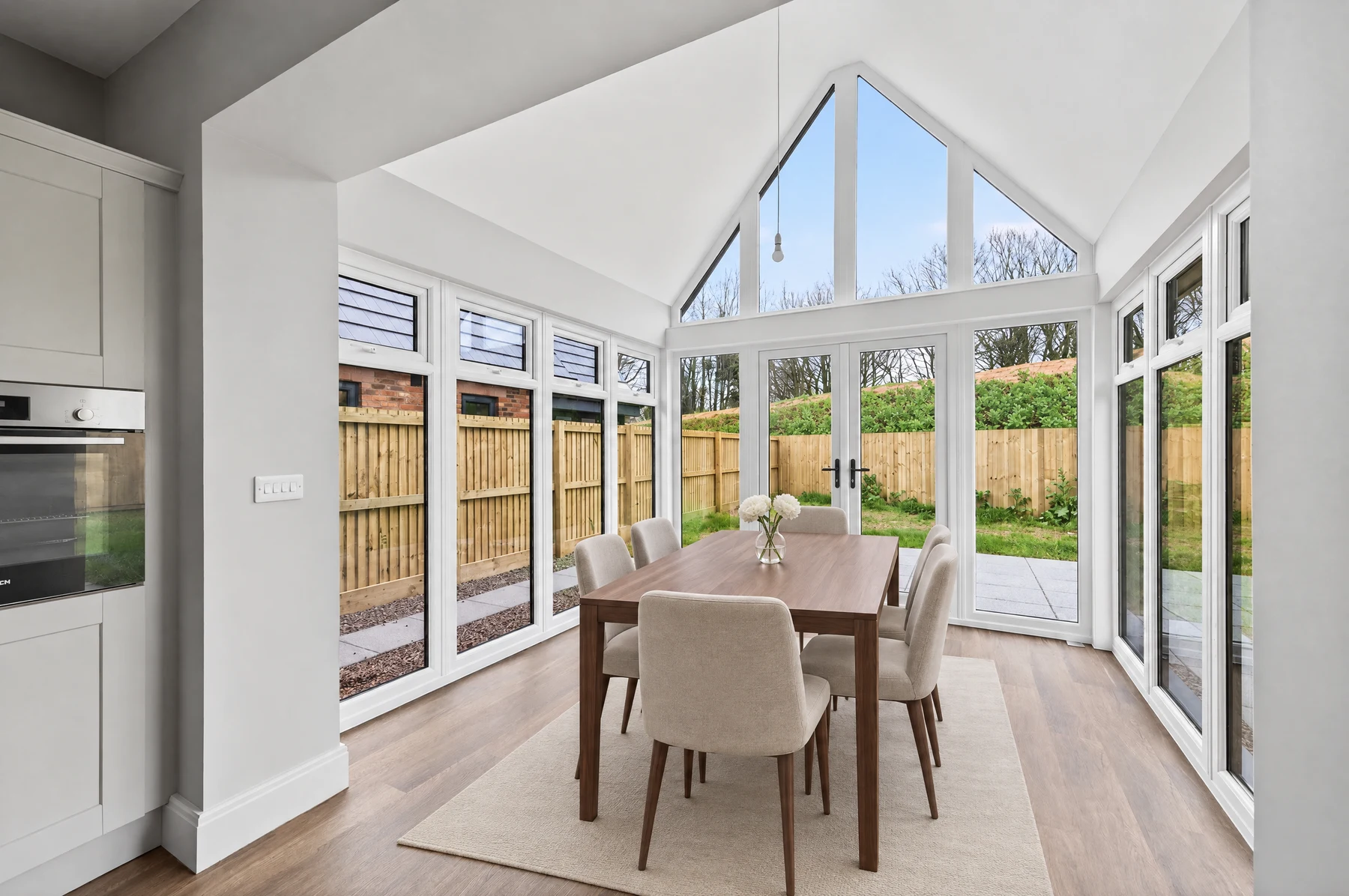
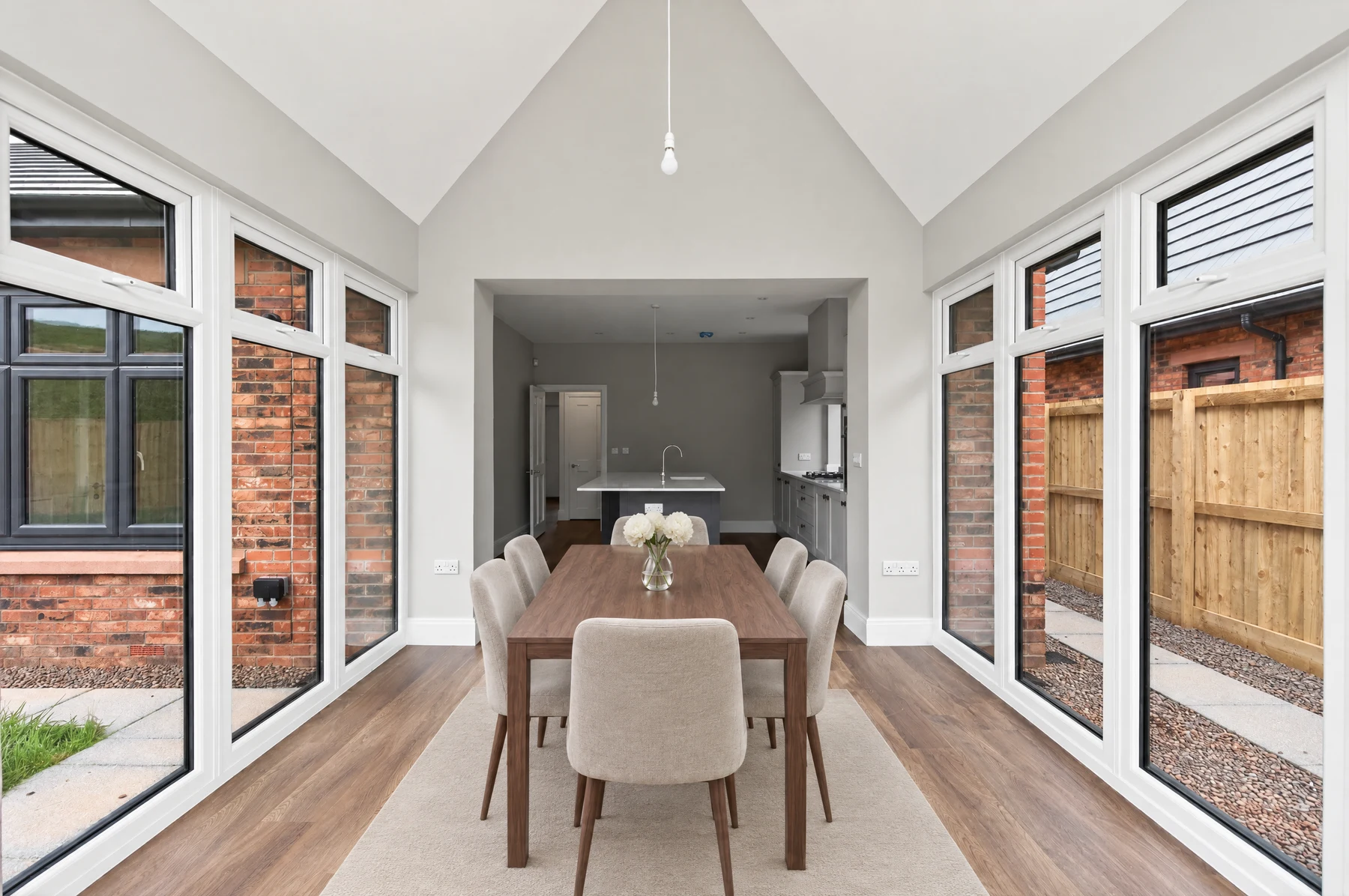
The wooden dining table, upholstered chairs and flowers carry through to the opposite view. Small differences remain in chair details and placement.

First view
Dining room, first view, staged with ListingAI Precision Fast
The first photo establishes the room’s look.
Matching view
Dining room, matching view, staged with ListingAI Precision Fast
The other angle uses that design as a reference.

Two staged views of the same room. Compare with the originals to inspect the changes.

  1. Upload your room

    Add two or more original photos of the same room.

  2. Approve the first look

    Choose a style and accept your first staged photo.

  3. Choose your pace

    Stage the remaining views together or one at a time.

Already love a staged photo? Choose “Add to a room” on the accepted result, then create a new room or choose an existing one.

More ways to improve your listing photos

Free to try

Try it with your own photo.

Every plan includes an allowance for single-photo edits—even Free.

Five Powerful Transformation Examples

1

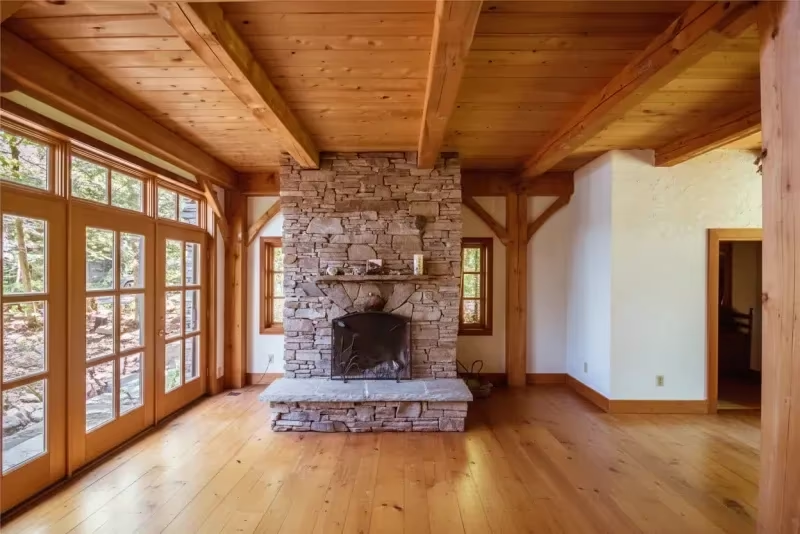
Remove Furniture & Decorations

Remove dated furniture, personal items, or clutter to show the true potential of a space. Perfect for properties that need to be shown empty or when the current furnishings are distracting from the property's features.

Empty room after removal
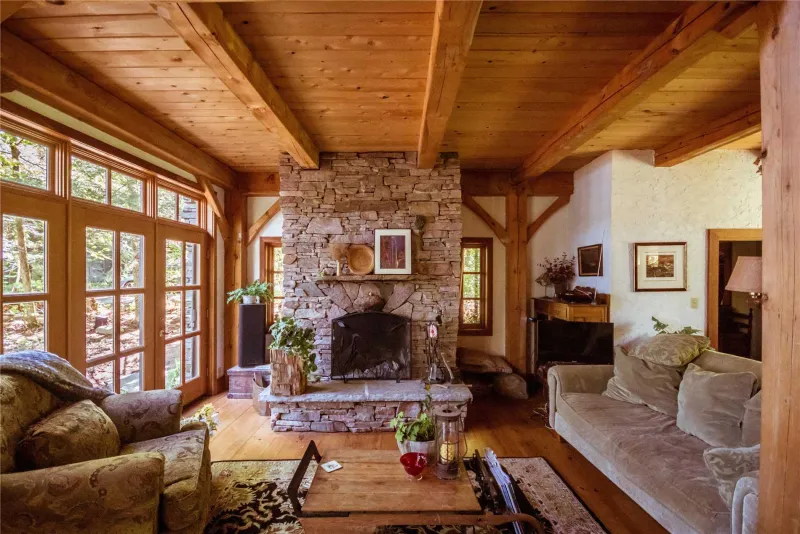
Original furnished room
Hover to compare - original on left, empty on right

Perfect For: Decluttering spaces, removing personal items, showing clean slates for renovation potential, or presenting properties without dated furniture

2

Virtual Staging - Add Furniture to Empty Spaces

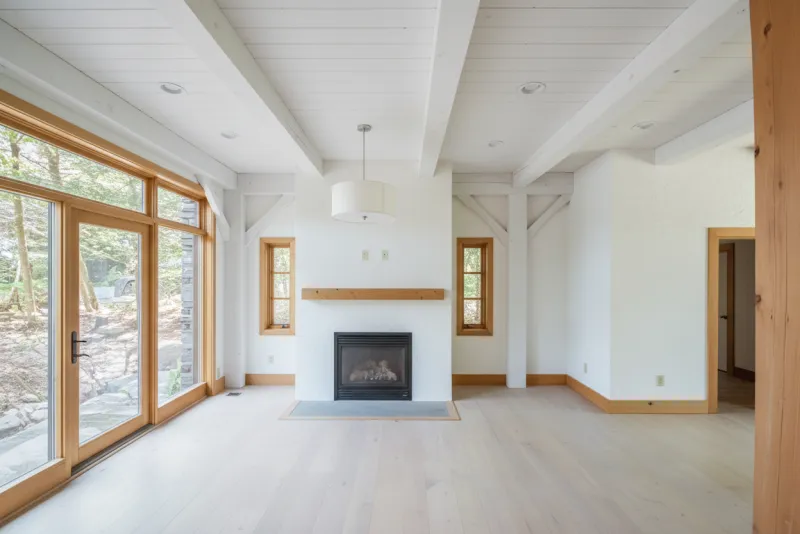
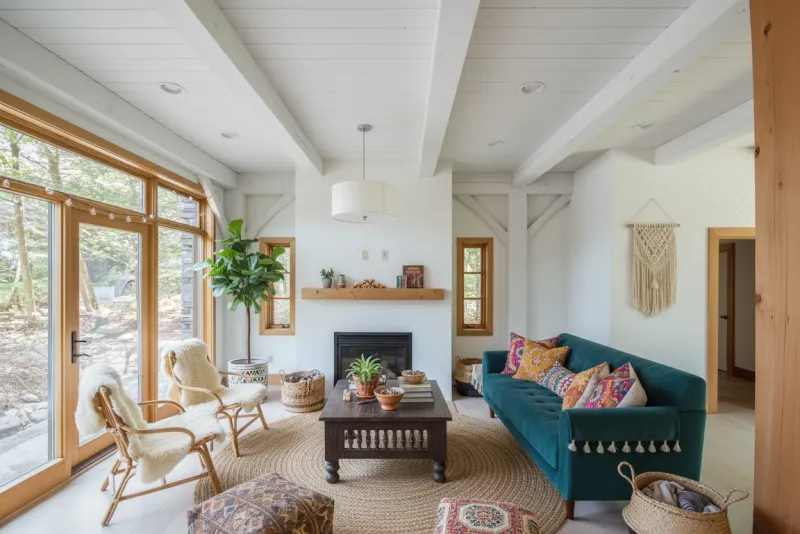
Transform vacant rooms into inviting, lived-in spaces that help buyers visualize the property's potential. Choose from multiple design styles including modern, traditional, contemporary, and more—or design your own custom furniture pieces to get exactly the look you want.

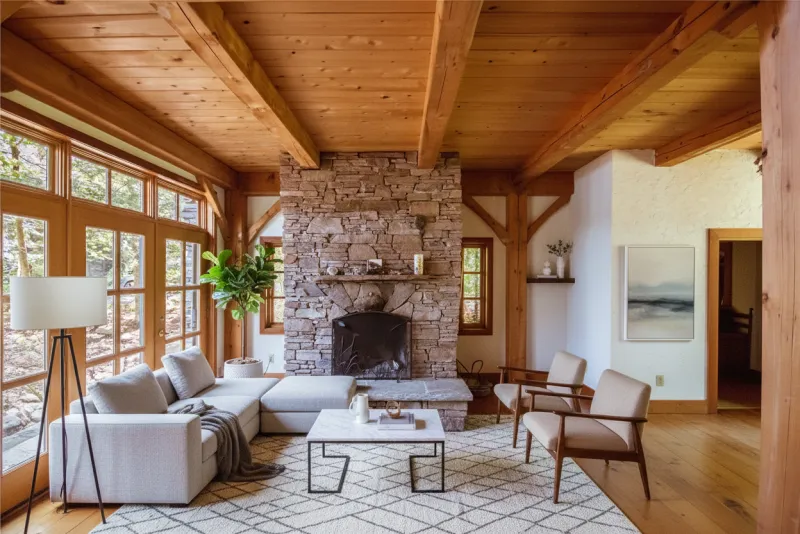
Staged room with furniture
Empty room
Hover to compare - empty on left, staged on right

Available Styles: Modern, Contemporary, Traditional, Rustic, Coastal, Farmhouse, Mid-Century Modern, Scandinavian, Bohemian, Minimalist, Industrial, and Luxury

Custom Furniture: Want even more control? Design your own furniture pieces and use them in any staging session.

3

Twilight Photography - Create Stunning Golden Hour Images

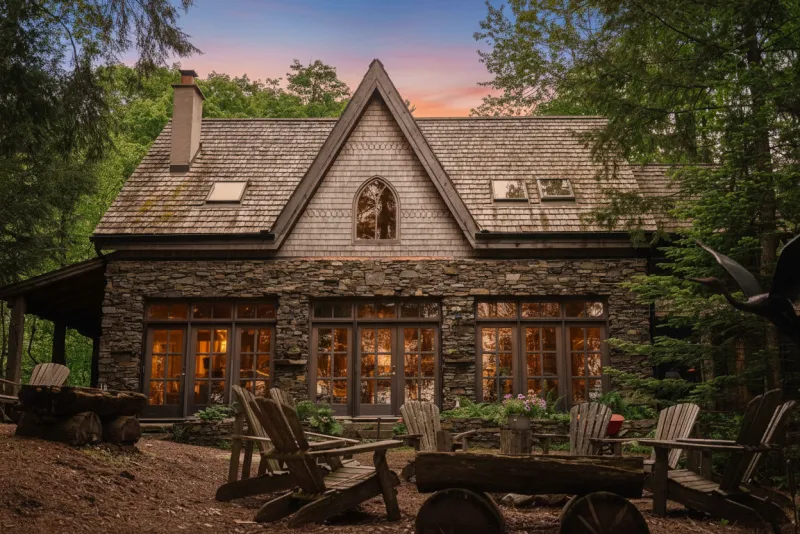
Transform daytime photos into captivating twilight scenes with warm, inviting lighting. Perfect for showcasing outdoor spaces, architectural features, and creating emotional appeal. Twilight photos are proven to generate more interest and engagement in real estate listings.

Twilight enhanced photo
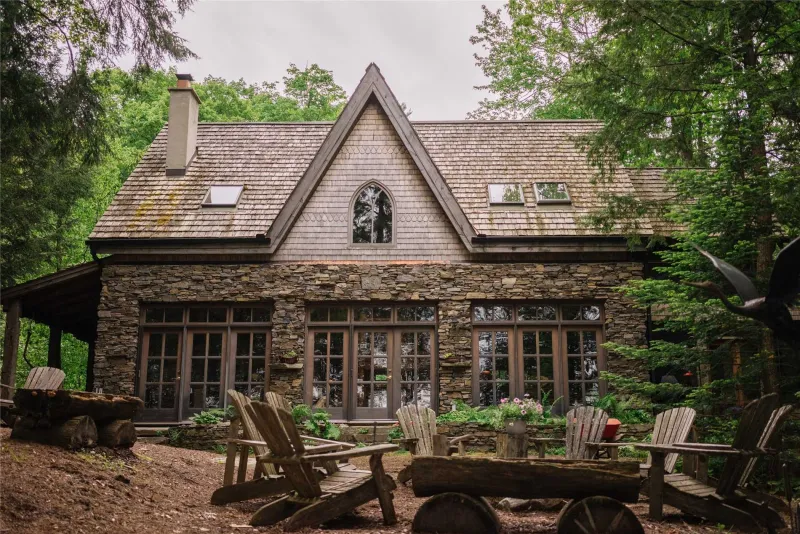
Original daytime photo
Hover to compare - original daytime on left, twilight transformation on right

Why Twilight Photography Works:

  • Creates emotional connection and warmth that resonates with buyers
  • Highlights exterior lighting, landscaping, and architectural features
  • Makes properties stand out in online listings and social media
  • No need to schedule expensive twilight photoshoots. Transform any daytime photo
  • Perfect for showcasing pools, outdoor living spaces, and curb appeal
4

Virtual Renovation - Show Transformation Potential

Demonstrate the potential of a space by virtually renovating it with updated finishes, modern fixtures, and fresh design. Show buyers what's possible with walls, flooring, cabinets, windows, fixtures, and lighting updates - all customizable to your preferences.

Renovated room
Empty room
Hover to compare - empty on left, renovated on right

Renovation Options:

  • Walls & Paint Colors
  • Flooring (hardwood, tile, carpet)
  • Cabinets & Built-ins
  • Windows & Window Treatments
  • Fixtures (faucets, hardware, appliances)
  • Lighting & Light Fixtures
5

Complete Transformation - From Original to Fully Staged

See the complete before and after transformation from an original furnished space to a virtually staged masterpiece. This showcases the full power of combining furniture removal, renovation, and staging to create magazine-worthy listings.

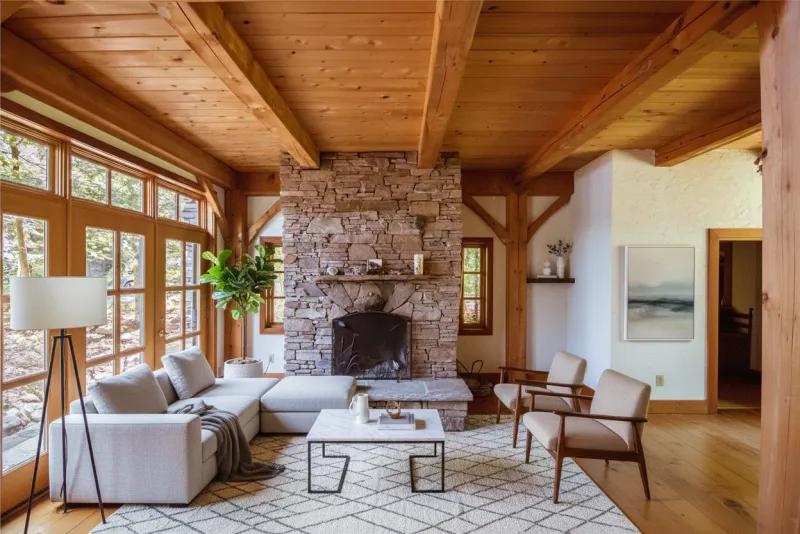
Renovated and staged room
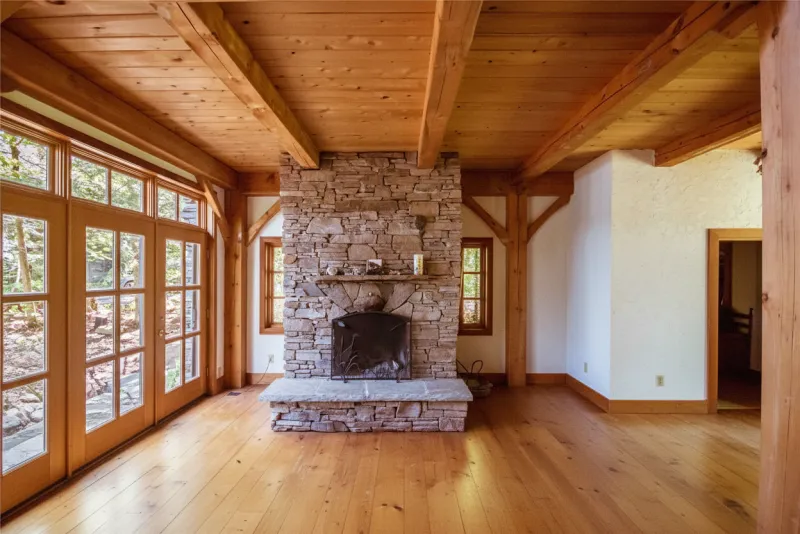
Original room
Hover to compare - original on left, fully transformed on right

The Complete Workflow: Start with any image, remove furniture if needed, renovate to modernize, then stage to create the perfect showcase that helps buyers visualize their future home.

Your furniture, your style

Give your staging a personal touch.

Design furniture in your choice of style, materials and colours. Save the pieces you love and use them in your staged rooms.

A living room staged with a custom black sofa, armchair and glass coffee table
Custom pieces, brought together in one room.
  1. 1

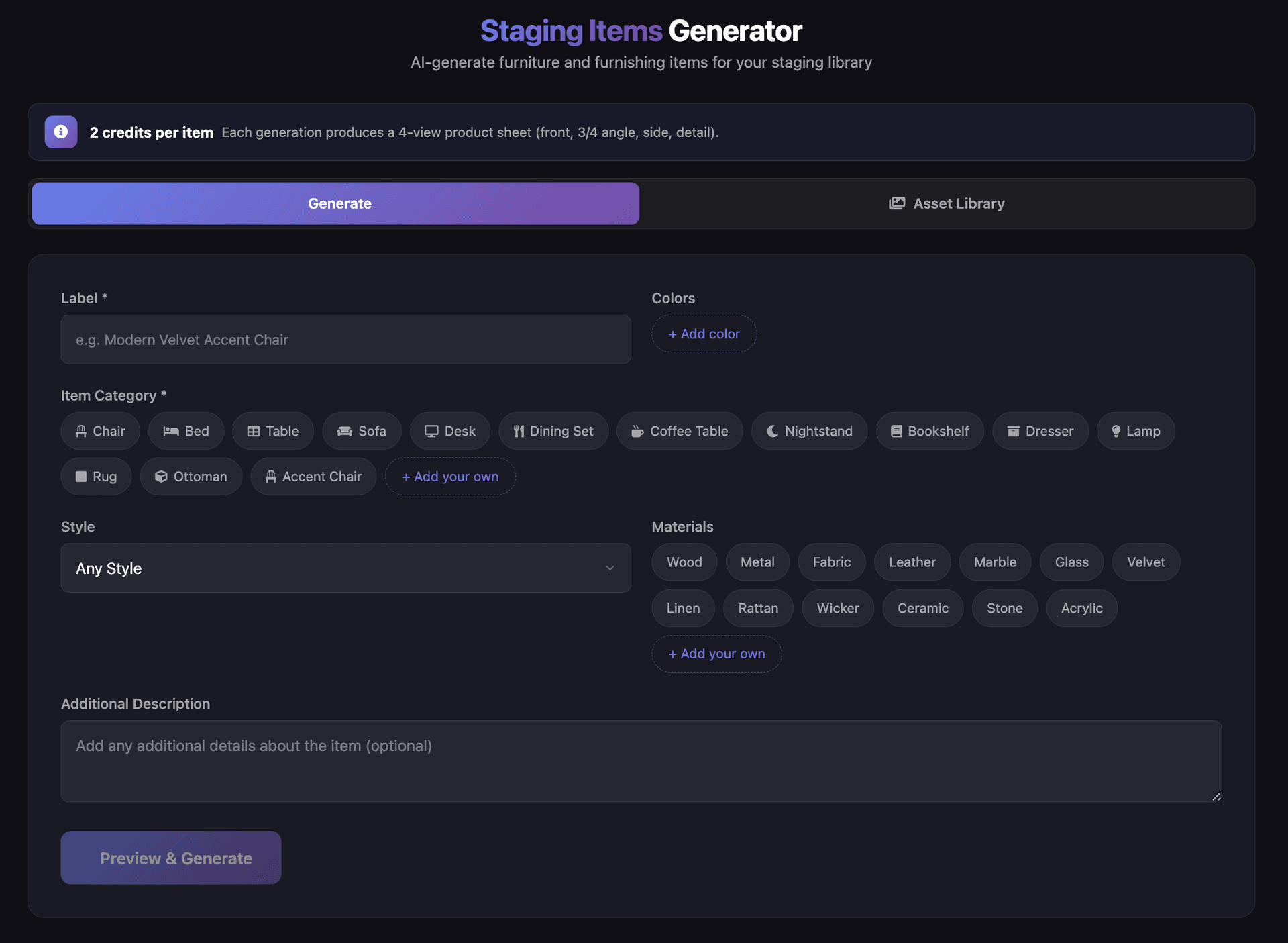
    Create your pieces

    Choose the style, materials and colours.

  2. 2

    Save your favourites

    Build a library to reuse across listings.

  3. 3

    Stage with your selection

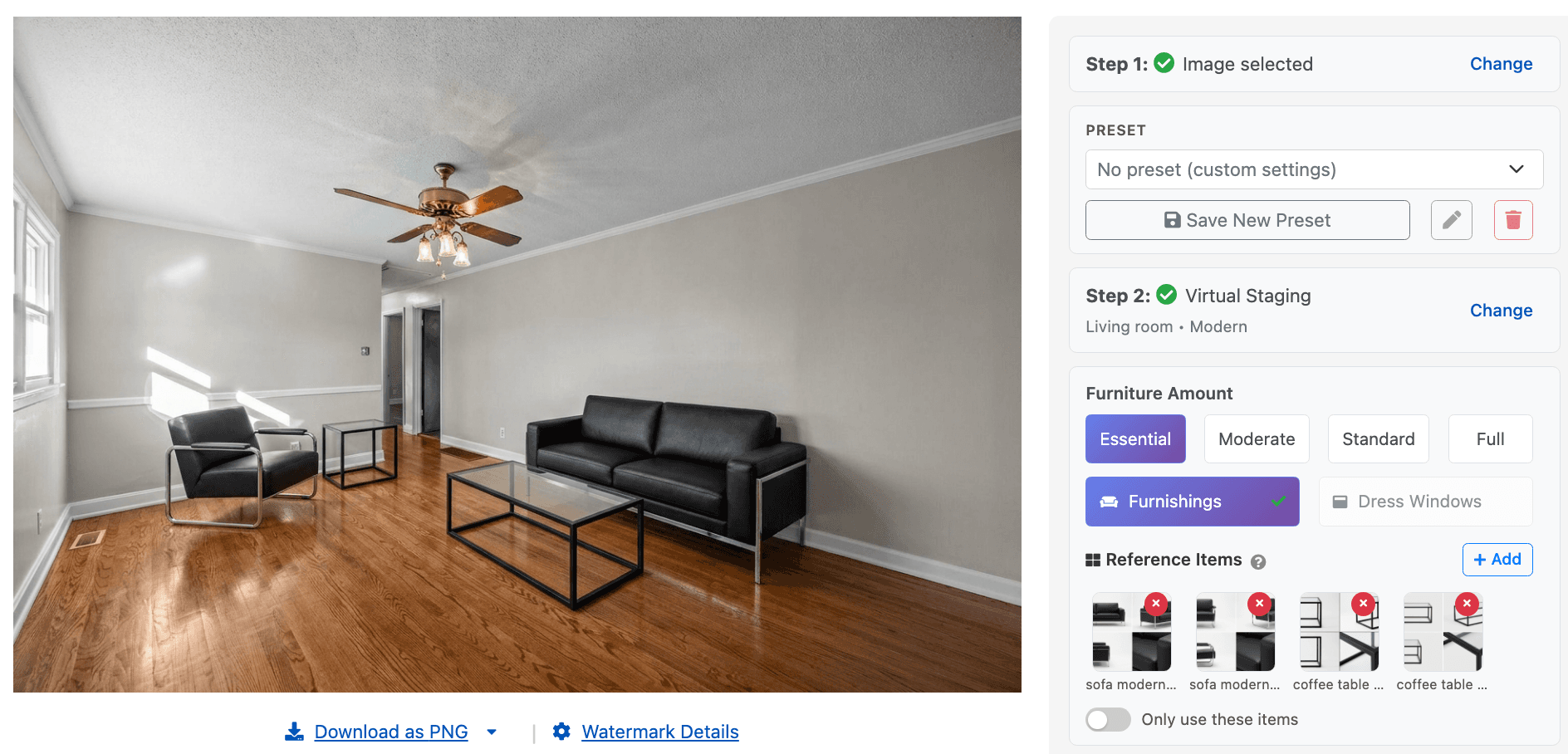
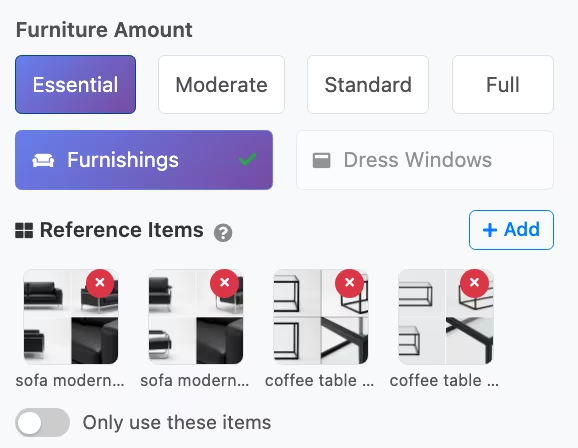
    Add them as reference items in the editor.

See the furniture creator in action
Staging Items Generator with category, style, materials and colour choices
Choose what you want to create.
Custom furniture selected as reference items in the staging editor
Select your saved pieces. Use “Only use these items” to limit the furniture selection.
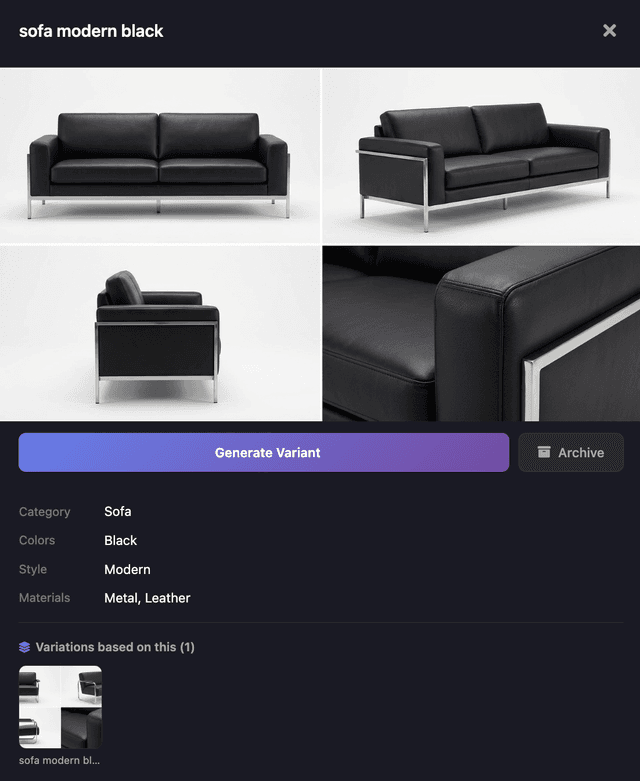
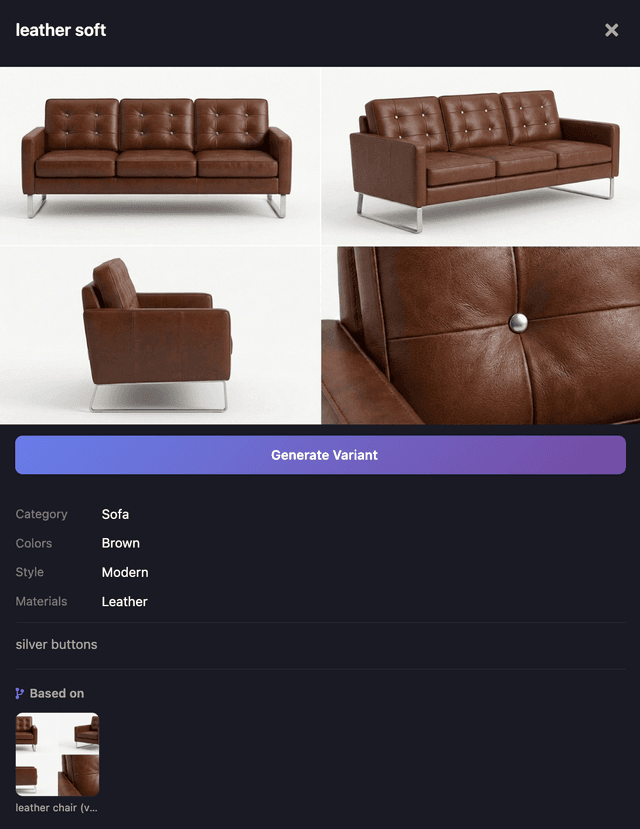
Custom black leather sofa shown from several angles
Modern sofa
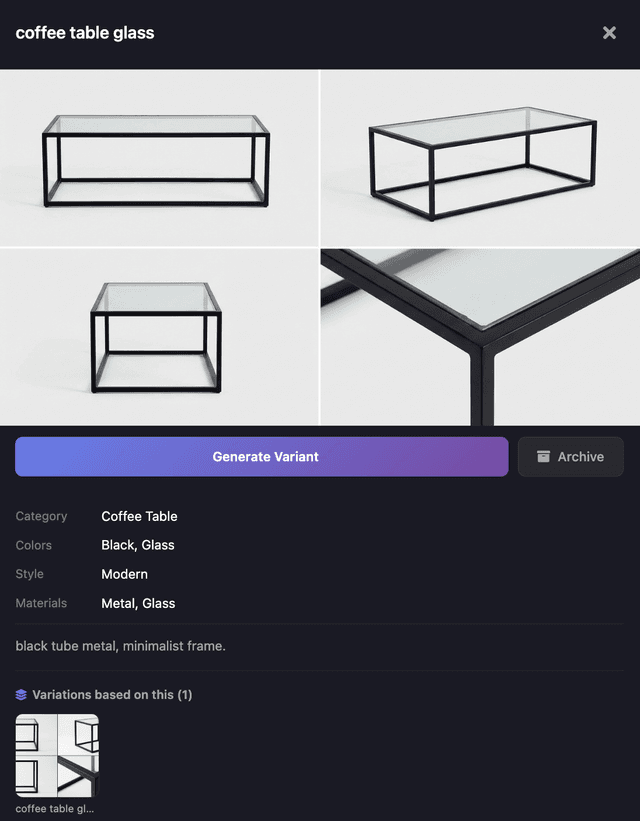
Custom glass coffee table in the furniture library
Glass coffee table
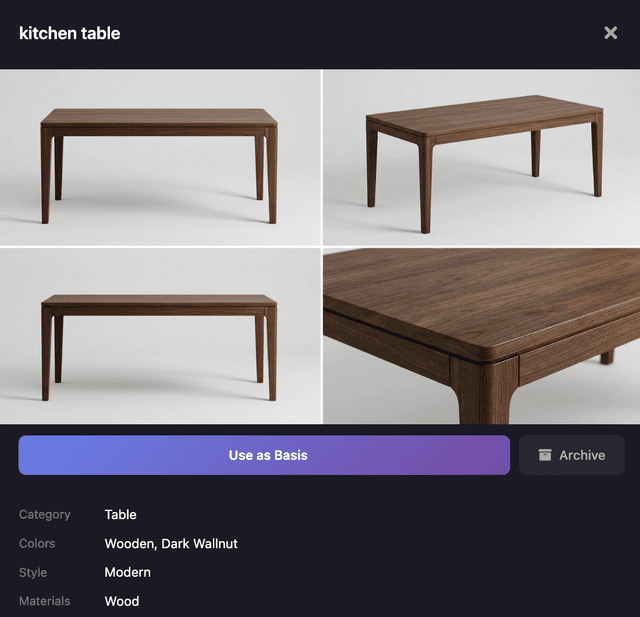
Custom dark walnut dining table in the furniture library
Walnut dining table
Custom brown leather tufted sofa in the furniture library
Tufted leather sofa

How it works

Using our virtual staging tools is simple and intuitive

Virtual Staging Tools
1
Upload Your Photo

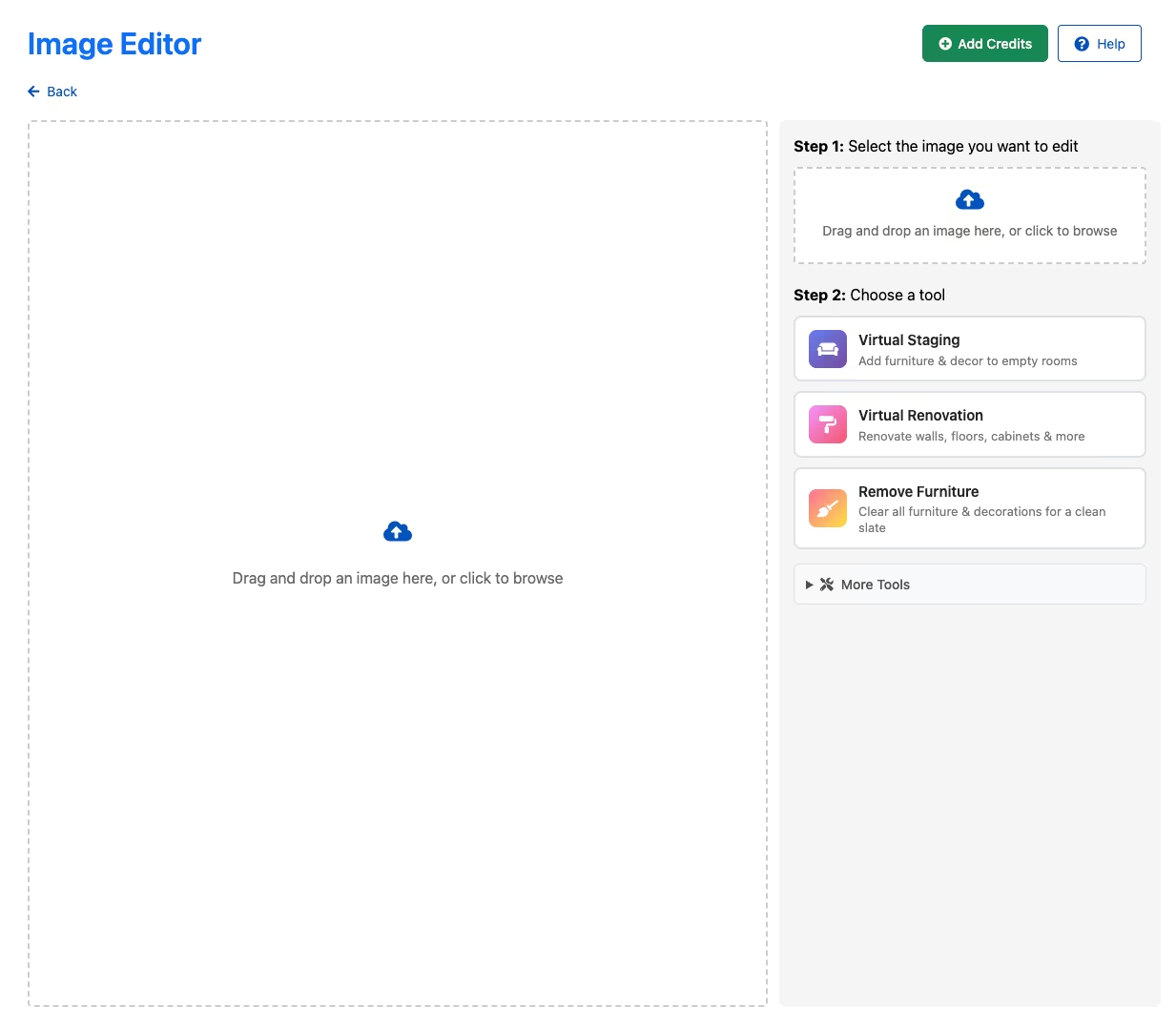
Upload your listing photo to the AI Image Editor

2
Choose Your Tool

Select Virtual Staging, Remove Furniture, or Virtual Renovation

3
Customize Your Style

Choose from 12+ design styles, design your own custom furniture, or select renovation elements

4
AI Processing

Generation time depends on your model and photo.

5
Review & Refine

Review the result, make adjustments if needed

6
Download & Use

Use your transformed images in listings and marketing materials

Virtual Staging vs. Physical Staging

Virtual StagingPhysical Staging
CostFrom $19-36 per month or $25 for a one-time purchaseView Plans$2,000 - $5,000+ per property
Turnaround TimeSeconds to minutes3-7 days (scheduling, delivery, setup)
Style Options12+ styles, custom furniture creation, and the ability to add your style notesLimited to available furniture inventory
LogisticsNone - upload and doneDelivery, setup, removal, storage
AppealHelps buyers visualize the property's potential without renovations or furniture removalBuyers can see and feel in person, but your ability to help them visualize the property's potential is limited
Property AccessNo property access neededRequires multiple visits for setup/removal
Best ForOnline marketing, multiple style options, quick turnaround, budget-conscious sellersHigh-end properties, in-person showings, luxury market

Pro Tip: Many agents use virtual staging for online marketing and physical staging for high-value properties with frequent showings.

⚖️ Stay Compliant

Virtual staging compliance guide

Virtual staging rules vary by jurisdiction and MLS. Check the permitted edits, required image labels, and access to original photographs. Our 2026 guide covers 75+ regions across the US, Canada, UK & Australia.

75+ Regions
Copy-Paste Templates
Penalty Info
Read the Compliance Guide→

🛡️ListingAI Compliance Features

Auto-watermarking
Original photo preservation
Disclosure templates

Related features

AI Listing Description Generator

AI Listing Description Generator

Save time with AI-generated listing descriptions based on your property details and images - no prompting required.

Listing Social Campaigns

Listing Social Campaigns

Turn one listing into coordinated Posts, Stories, and Reels that stay editable until you choose what to publish or schedule in Social Planner.

Agent & Team Websites

Agent & Team Websites

Launch a professional hub for your brand, services, team, testimonials, and active listings, with hosting included.

OpenAI powered Chatbot - Coach

OpenAI powered Chatbot - Coach

Get real estate marketing advice and ideas from our AI-powered assistant, trained specifically for real estate professionals.

Get in Touch
Contact Info
Phone Number

+(536) 84 95 62 45

Email Adress

sasup@gmail.com

Address

Dhaka-1209 Bangladesh