Keep the campaign moving
Turn finished listing posts and videos into drafts you can review now, schedule later, and resume without rebuilding your work.

Create the content, review how it will look, then publish now or schedule for Facebook Pages and Instagram professional accounts—plus text, up to 10 images, or one video for your LinkedIn personal feed.
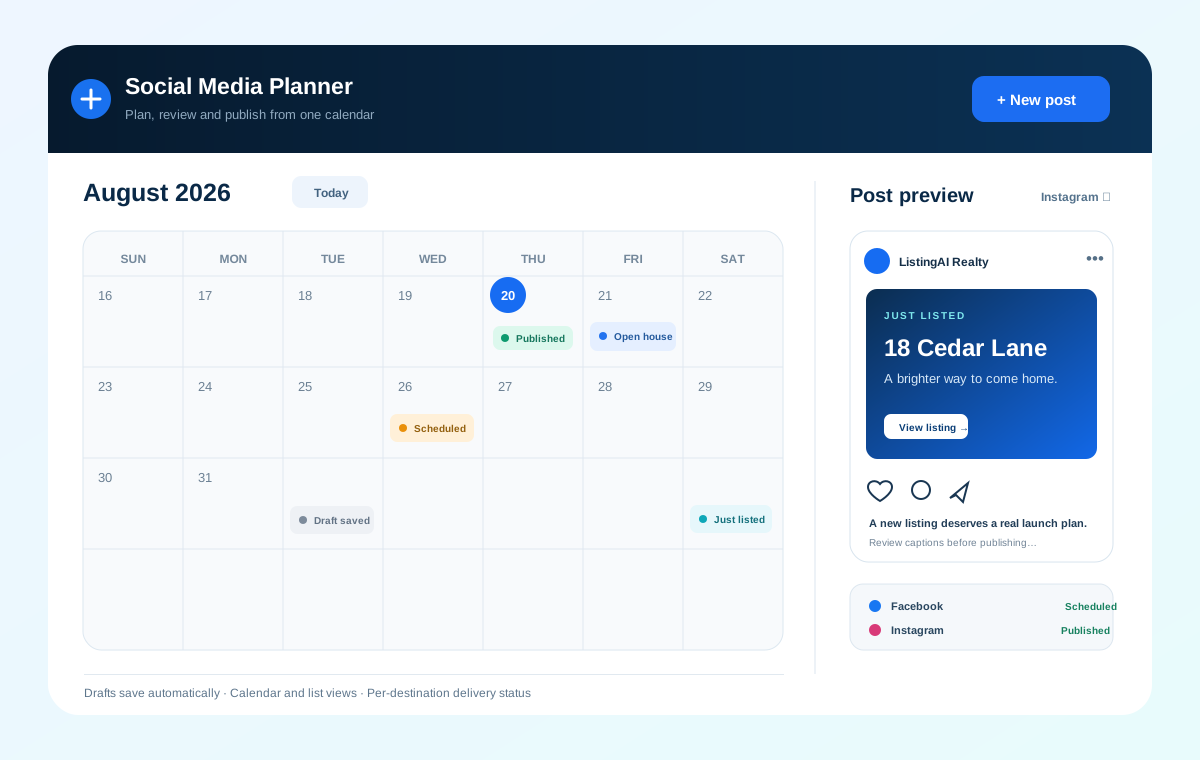
ListingAI already helps you make posts, Stories, images, and videos. Social Planner carries compatible content forward to Facebook and Instagram, with text, images, and video publishing for LinkedIn personal feeds.
Turn finished listing posts and videos into drafts you can review now, schedule later, and resume without rebuilding your work.
Use the calendar to balance just-listed content, open-house reminders, stories, and follow-ups across the days ahead.
Follow delivery status destination by destination, retry a failed delivery safely, and review available Facebook and Instagram engagement after publishing.
Start in the planner or send content in from an existing ListingAI tool. You stay in control of the final preview, caption, destinations, and timing.
Read the launch announcement →Connect Facebook Pages, Instagram professional accounts, and your LinkedIn personal profile in Connected Accounts, then choose them in the planner.
Send content from a ListingAI tool, write a text post, or upload an image, then keep working from an auto-saved draft.
Preview Facebook and Instagram feeds or Stories. LinkedIn uses the personal feed and supports text, up to 10 images, or one MP4 video.
Send the post immediately or place it on the calendar for the day and time you want.
See the status for every destination. Where Meta provides it, review Facebook and Instagram reach, impressions, likes, comments, reactions, or shares.
A post can succeed on Facebook, Instagram, or LinkedIn and need attention on another destination. ListingAI keeps those results separate, makes retries explicit, and avoids creating a duplicate delivery when you try again.
Manual uploads and publishing are available on every plan. Connect Facebook, Instagram, or LinkedIn and bring in your own content—or hand off unlocked ListingAI content.
© 2026 MappedBy Inc. All Rights Reserved