
Real estate agents rarely have a shortage of things they could post. The harder part is carrying good content all the way from “finished” to “published”—on the right account, in the right format, at the right time.
That gap creates a familiar trail of downloaded images, unfinished captions, duplicate drafts, missed posting days, and browser tabs opened to several different tools. We built the Social Media Planner to close that gap inside the listing workflow.
Creation is only half the job.
ListingAI can already help turn listing photos and property details into posts, Stories, and videos. Social Planner carries supported Facebook and Instagram formats forward, and can publish text or one image to a LinkedIn personal feed. A finished creative is not a campaign until someone reviews it, chooses the destinations, schedules it, and confirms that it was actually delivered.
The new planner keeps those decisions attached to the content. If you leave after uploading a single image, your draft is there when you return. If you send an updated version from a listing tool, the related draft can be updated instead of multiplying into copies.
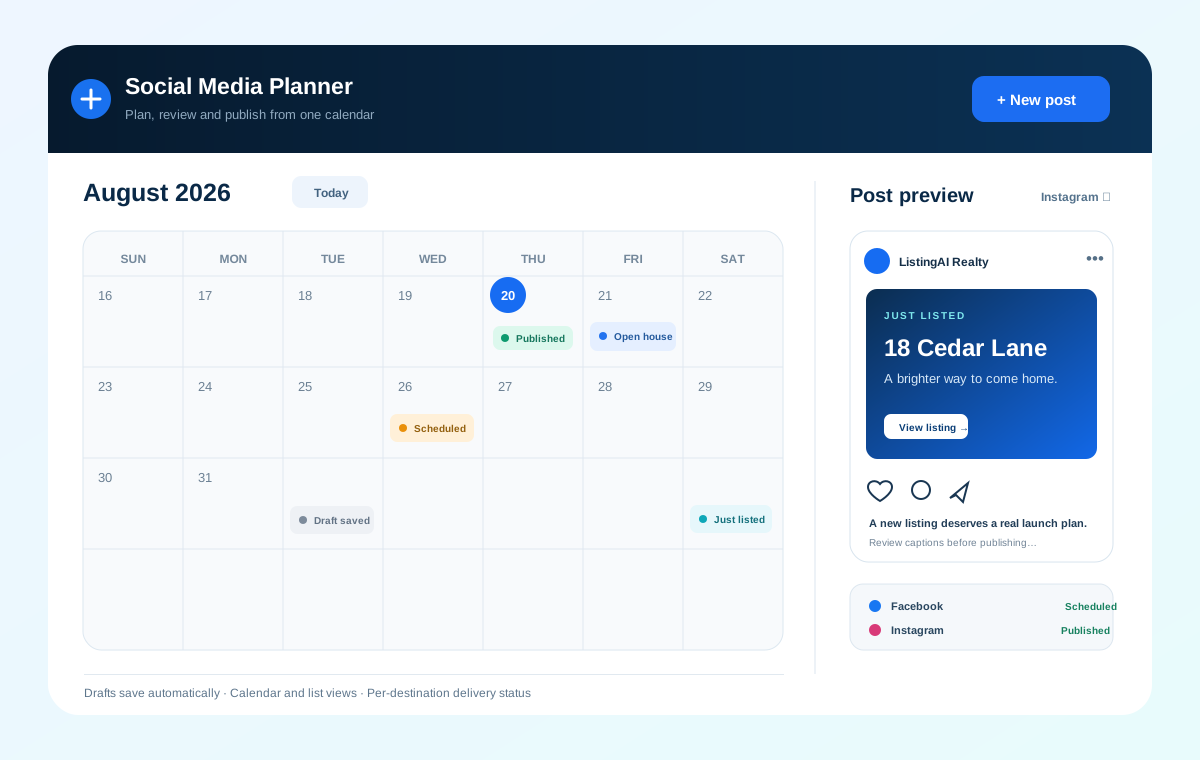
A practical home for the work between create and publish.
A calendar built for real campaigns
See what already published, what is scheduled next, and where unfinished drafts still need attention.
Drafts that remember your work
Write a text post, upload one image, or send content from another ListingAI tool and a resumable draft is saved automatically.
Previews for the destination you chose
Review Facebook and Instagram feed or Story presentations, plus LinkedIn personal-feed posts with text, up to 10 images, or one video.
Clear status after publishing
See the result for each destination independently, safely retry a failed delivery, and review available Facebook and Instagram engagement metrics.
Your existing ListingAI tools can hand off to the planner.
When you create a social post, Story, or other shareable listing asset, you can continue into Social Planner with the content already attached. From there you can connect accounts if needed, make final edits, choose compatible destinations, and decide when it should go out.
This also works as a standalone planner. The media does not have to be listing photography, and you do not have to begin in another ListingAI tool.
“Published” is shown per destination—not as one vague status.
Facebook, Instagram, and LinkedIn do not always return the same result. One destination can publish successfully while another needs an account confirmation or a retry. The planner shows those deliveries separately, explains the useful next action, and allows a safe retry without intentionally creating a duplicate post.
Facebook · StoryNeeds another delivery attempt
Retry availableInstagram · StoryPublished at 9:41 AM
PublishedWhere Meta provides the data, published Facebook and Instagram deliveries can also show impressions, reach, likes, comments, reactions, or shares. LinkedIn analytics are not currently available in ListingAI.
A quick note about account and format rules.
Meta allows publishing to Facebook Pages and Instagram professional accounts, not personal Facebook profiles. LinkedIn personal profiles support feed posts with text, up to 10 images, or one MP4 video. Finished Reels publish as LinkedIn Feed videos. LinkedIn Pages and Stories are unavailable. LinkedIn access can expire, so the planner may occasionally ask you to reconnect before publishing.
Put the next listing campaign on the calendar.
Open the Social Media Planner from your dashboard, connect your supported destinations, or send a finished post into it from an existing ListingAI tool.