
Multi-angle staging: our July research, and what came next

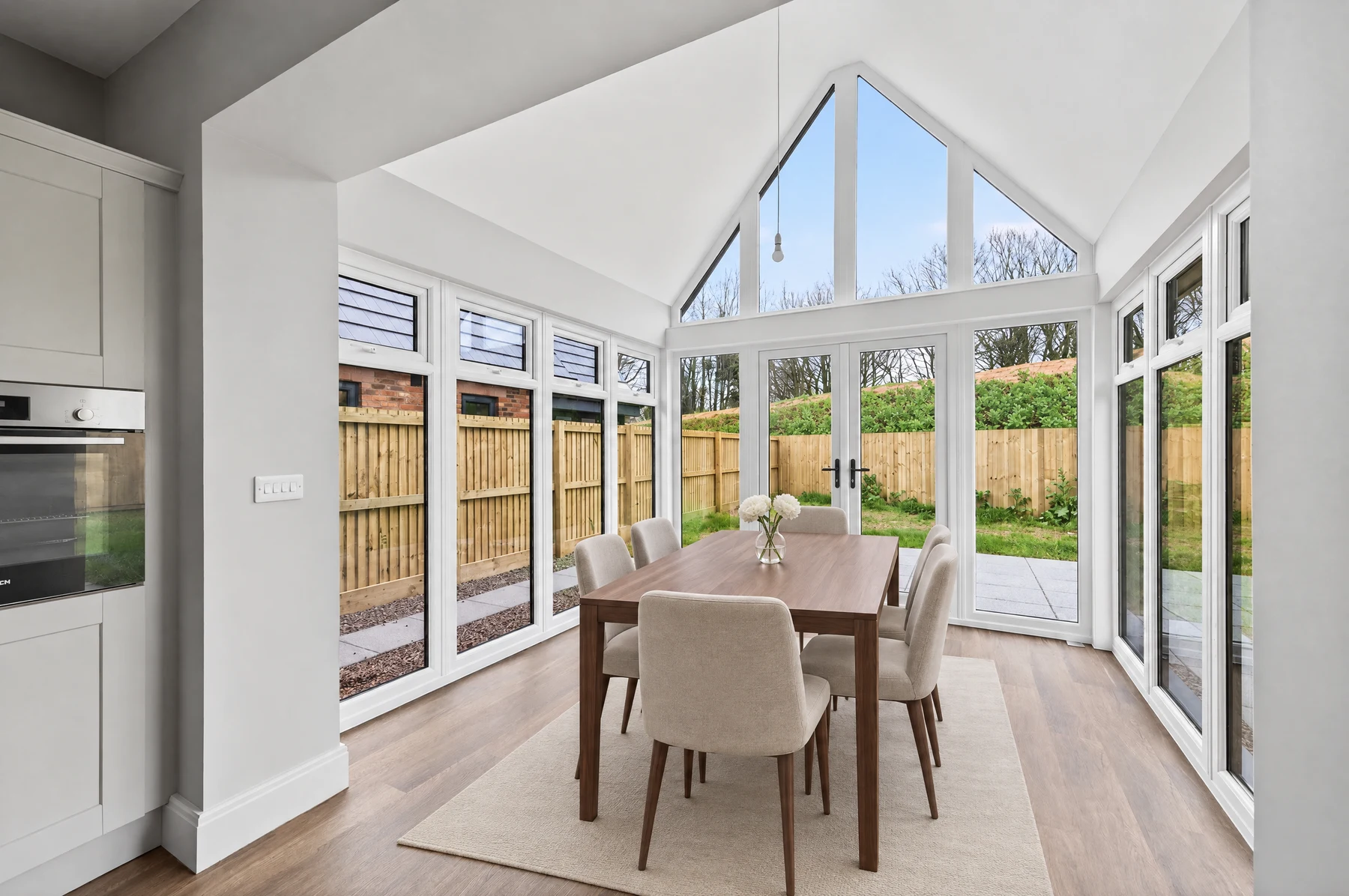
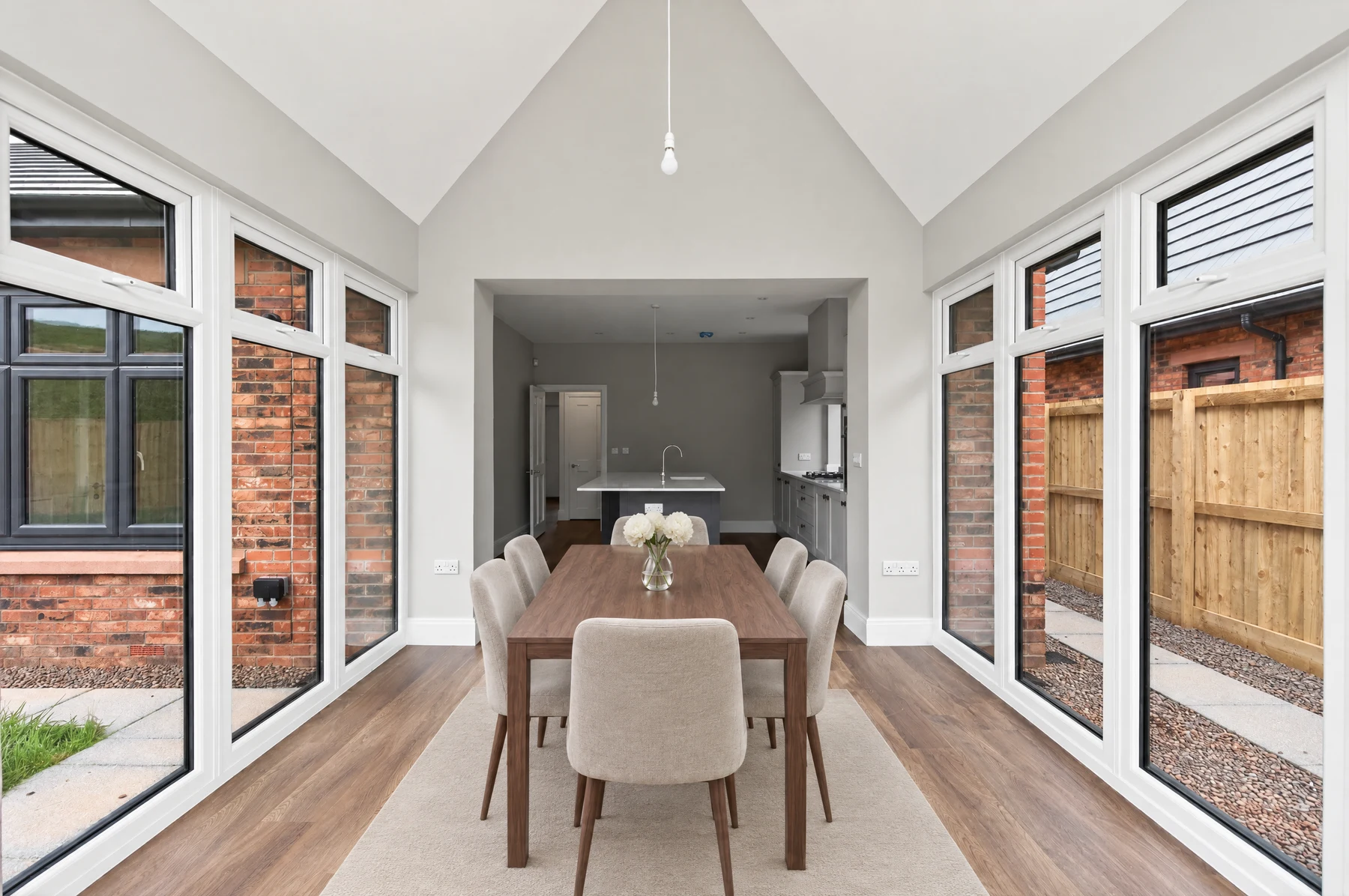
This is our July 21, 2026 research record: the approaches we tried, the original comparisons and the failures that shaped the product. We have preserved that dated work below, with current next steps and credit guidance further down.
- What it is: stage one photo of a room, approve it, and have every other angle re-stage itself with the same furniture in the same places — the staging feature agents ask us for most.
- Where the July system stood: our best system got it flawless about 20% of the time, and acceptable about 60%. We did not release that system.
- The July comparison: we ran a blind, like-for-like head-to-head against another multi-view tool. Our conclusion at the time was that neither was reliable enough.
- What changed: the September beta uses a new room workflow and model choices. See the current guide for what is available now.
The percentages in this research snapshot are historical test results, not acceptance rates for the current beta.
Agents ask us for multi-angle staging almost every week — stage one photo of a room, and have every other angle of that room follow automatically. I'll be honest with you: it frustrates me that we still can't hand it to you, and I'm genuinely disappointed we haven't been able to follow through on something so many of you want.
What bothers me just as much is watching other companies advertise this feature as if it's a finished, solved thing. It leaves agents assuming we've fallen behind, or that we're somehow not capable of building what everyone else supposedly already has. So I want to be straight with you about what's really going on.
From everything we've tested — our own work and theirs — my honest read is that nobody can do this reliably yet. We've put an enormous amount into it, and as far as I can tell we've made as much progress as anyone in this space. The difference is simply that we're not willing to sell you an unfinished product, while — in our honest opinion — some competitors are charging for something that will most likely disappoint the person who buys it.
This article is our progress toward stable, multi-angle staging: what we're seeing across the field, what we're able to do versus others, and how what everyone charges compares — including the single-photo staging we're proud to offer right now. I'm not writing it to call anyone out or make anyone feel bad. I just want to show you what we see, honestly, and let you make up your own mind.
The workflow we were working toward in July
Upload every photo of the room, exactly like you do today.
Stage a single photo of that room and get it looking exactly how you want.
Every other photo of that room is staged automatically - same furniture, same places.
The problem we're solving
You've shot a listing. A great room gets two photos, because one angle doesn't do it justice - so you start with two empty shots of the same room:

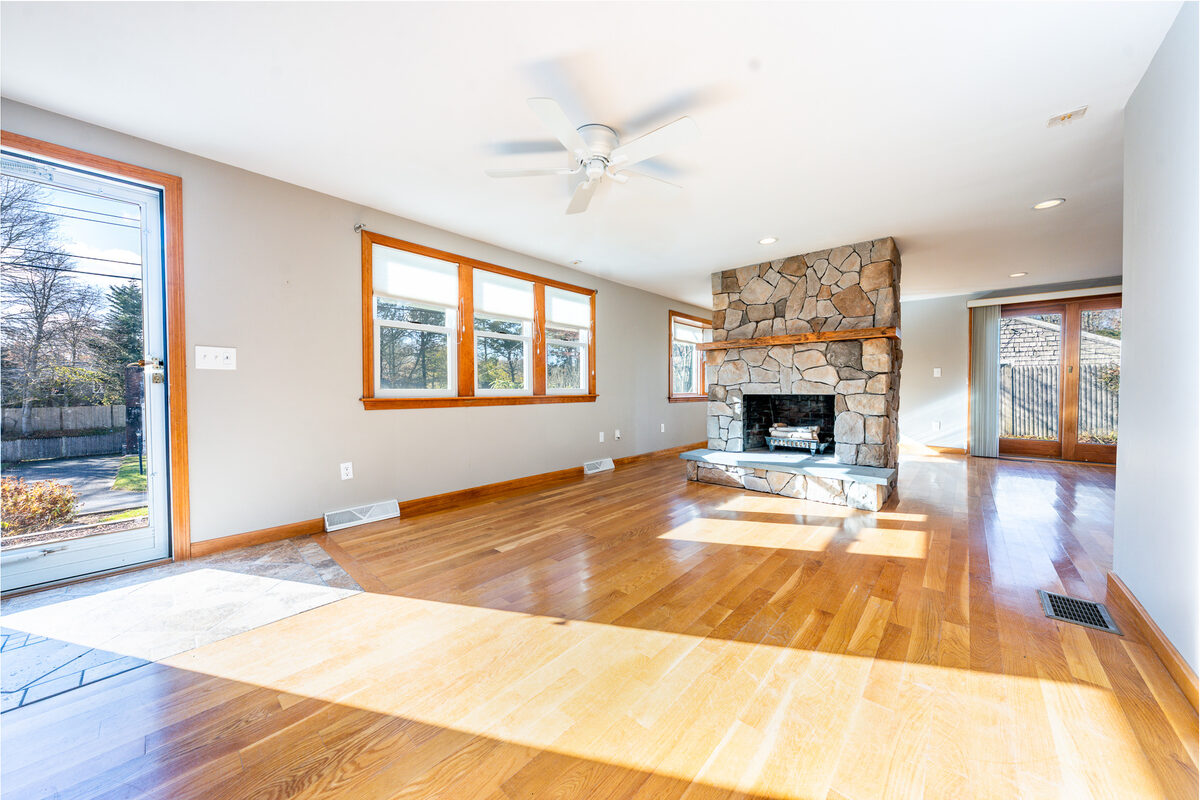
You stage the first and approve it. Now you want the second staged to match - same sofa, same chairs, same rug, in the same places. With every tool on the market today, what you'll usually get instead is a second, unrelated staging: different furniture, rearranged. Buyers flip between the two photos and it reads as fake.
What the July prototype could do
“Stable generation” is our name for keeping the staging stable as the camera moves. It reconstructs the room in 3D, computes where every approved piece must appear from the new camera position, and only lets the AI paint inside those spots. Here are all four photos together - your two originals on top, the staged versions directly below them:


The two staged photos (bottom row) carry the same sectional, leather chairs, marble table, rug and arc lamp, in the same places relative to the stone fireplace - seen from two completely different camera positions. The rooms themselves are untouched.
That was a real, unretouched result, verified by two independent automated judges. So why didn't we launch that system in July? At the time, it came out this clean about one room in five. Our July tests had reached acceptable results about 60% of the time and excellent results about 20%. The research below explains those historical results; they are not success rates for the current beta.
The road to stable generation
We built and measured six versions on the way here - the LAI-Stable_Generation line (SG for short), each a different bet on how to keep furniture consistent across a camera move, and each with a nickname so it's easy to talk about. Here are the first five, in the order we built them; the sixth (3.4 “Keystone”) is our most advanced single model and gets its own section below.
† scored on a fresh held-out set. The last two bars are the blind head-to-head below — our best output and Edensign, judged blind on the seven rooms we both ran; that's a stricter test than our own development grading, which is why our bar there sits below SG 4.0. Full rubric in Appendix A.
How it works: Show the AI the approved photo and ask it to reproduce the same furniture from the second camera.
What worked: Almost nothing - which is the point. It's the honest floor to measure everything else against, and it's still what most tools on the market actually do.
Where it broke: It copies the approved angle's composition instead of re-imagining the room from the new camera. Independent academic work this year (the CVSBench benchmark) found every major model does this.
How it works: Generate both staged angles together in a single wide image, then cut them apart. Inside one generation the model keeps furniture consistent because it's drawing one scene.
What worked: Our first real passes - furniture stayed recognisably the same between the two halves.
Where it broke: Each half is lower resolution, and furniture still drifts between them: a cushion changes colour, a lamp changes shape.
How it works: Detect floor landmarks in both photos and use them to pin where each piece should land in the new view before the AI paints.
What worked: Cheap, and it nudged placement in the right direction.
Where it broke: Floor hints are too weak a leash - the model acknowledged them, then placed furniture wherever its instincts pulled.
How it works: Hand the approved staging to a video AI, have it 'dolly' the camera toward the second angle, grab the best frame, clean it up.
What worked: Genuinely fixed placement on rooms nothing else could handle - the video prior understands that a camera move preserves the scene.
Where it broke: Furniture details drift during the move, and on wide turns the video AI re-imagines the whole camera path. Also the most expensive approach by far.
How it works: Reconstruct the room's 3D geometry from the two photos, project every approved piece into the second camera so its position is computed rather than guessed, then have the AI repaint the rough projection.
What worked: Best furniture accuracy of any approach, and positions that are mathematically correct going in. This is the core of stable generation.
Where it broke: The AI, asked to repaint, still sometimes overrides the correct positions and slides furniture to face the camera.
The one deep-dive worth seeing is Parallax, because it's the foundation of everything above. Instead of asking the AI to imagine the new angle, it computes it: reconstruct the room in 3D, then project the approved furniture into the second camera. The projection is streaky, but every position in it is geometrically correct - and that's what the AI refines into a clean photo.


Keystone: our most advanced July prototype
Our most advanced single model, 3.4 “Keystone”, takes Parallax and adds a hard architecture lock: the AI may only paint inside the exact spots where furniture belongs, so the room's walls, windows and floors come back pixel-perfect by construction. On a fresh set of rooms it had never seen, it produced the cleanest results of the whole project - but still passed cleanly on only about 1 in 10.
Keystone taught us the decisive lesson: we ran it on two different AI vendors' models, and both fail the identical way - they rearrange furniture to face the camera, even inside the locked regions, even when handed the correct answer. That's not a bug in one product. It's where image models are in mid-2026. Furniture accuracy is solved. Obedience isn't.
What failure looks like
This one takes a moment to read, which is the point. The room is one long open living-and-dining space; the two photos face opposite ends of it. The front door in the second photo is real - it's right there in the empty shot.


The architecture is right; the furniture story is fiction. From the dining end the camera should see the dining set in the foreground and the back of the sofa. Instead the AI mirrored the whole arrangement to face the camera and pushed the dining set to the far wall. A buyer sees furniture teleporting - and wonders what else in the listing isn't real. That's exactly why we won't ship at 20%.
What the July experiments cost
Our measured raw AI cost per room, using the best models:
| Staging the first photo until you accept it | ~$0.25 |
| Each additional angle - Keystone (cheapest reliable) | $0.26 |
| Each additional angle - Dolly (highest quality) | up to $1.25 |
| A typical 3-photo room | around $1.20 |
A standard single staging image costs us roughly $0.10–$0.13. So at today's reliability, honest pricing would mean charging several times more per photo for results we'd reject two times out of five. That's not a product - it's a coin flip with a price tag.
The July 2026 comparison with other tools
Everything above is about our own work. But you'd be right to ask the obvious question: is multi-angle staging hard for us, or hard for everyone? The only honest way to answer that is to put our results next to other tools' — same rooms, same grading — so the rest of this post does exactly that. This is the first of these comparisons; we intend to run more, on other tools, and publish them here whether we come out ahead or not. We're starting with the boldest claim in the category.
Claims and public pages recorded in July 2026
Several tools advertise multi-angle consistency today. We compared each one's marketing to its own documentation and terms, and to independent evidence. Quotes are verbatim from their public pages as of July 21, 2026. One data point frames the rest: the biggest player in this space by volume shipped the feature as a two-photo beta for bedrooms and living rooms - and has since stopped advertising it. If this were easy, the biggest player by volume wouldn't be walking it back.
| Tool | Their marketing says | Their own pages also say | Independent evidence |
|---|---|---|---|
| Virtual Staging AI (biggest by volume, acquired by Zillow in 2024) | “Stage rooms from two perspectives with the same furniture and layout” with “consistent layout across views” (homepage, archived March 2026) | Their beta docs: limited to 2 photos, works “best with bed and living rooms, other room types are currently incompatible,” “photos from opposite angles will not work well,” and even for compatible pairs a good result “is not guaranteed” (archived docs) | As of July 21, 2026 the feature is no longer advertised or documented - both were removed between March and April 2026 (compare archives). The one hands-on beta review noted “a lamp switching sides or a book moving” (source) |
| Edensign | “Every Angle. One Consistent Style.” An AI “3D spatial map” places furniture “in consistent positions... across all camera angles” (source) | Their terms: output “may contain inaccuracies, artifacts, or unexpected results” and they do “not guarantee that Output will be accurate”; all credits non-refundable (source) | No Trustpilot, G2 or Capterra presence we could find. The main press article promoting it appears to be sponsored content (source). An affiliate review praises the consistency but notes failures on unusual layouts and strong shadows (source) |
| Pedra | “Pedra keeps your staging consistent across every angle” (source) | Their release notes describe a manual flow: select “Use furniture from another image,” choose your staged photo, regenerate (source) - the same reference-photo technique as our Echo model | No third-party test of the feature found; only their own testimonials page |
| Stager AI | “One Room. Multiple Angles. Seamless Staging” (source) | Workflow is limited to 2 photos of a room | 34 App Store ratings total; when a reviewer asked how to get the same furniture into multiple pictures, the developer replied the capability was still being worked on (source) |
| Collov AI | “Same pieces appear naturally from every angle” (source) | Same page: “our design team first creates a consistent base version” - a human service, minimum 3 images, from 20 credits per image, delivered “within 3 business days” | No independent hands-on test of the multi-angle feature that we could verify; a July 2026 third-party review lists the feature but reports no testing results or workflow detail (source) |
| ListingAI | We say: not yet. This post - success rates, failures and costs included - is our marketing. | ||
The tell
Here's the part worth sitting with. Even at our current best, we won't sell this to you, because one room in five isn't good enough. Meanwhile the feature is marketed hard across the industry, priced, and sold on non-refundable credits.
Yet the tools selling this don't all seem fully convinced by it themselves. Edensign, for one, markets multi-view heavily but won't put it in its own developer API — as of July 2026 the Edensign API stages one photo at a time, with no multi-view option, so the feature lives only inside its web app. And the biggest player by volume, Virtual Staging AI (owned by Zillow), went further, quietly removing its multi-view feature entirely between March and April 2026 (their homepage archives, before and after).
So ask yourself what it means when a company will charge you for a feature it won't build into its own developer platform - and when the biggest player by volume walked away from it altogether. We'd rather publish this progress report, warts and all, than sell you a coin flip.
Why we ran this - and when
We ran this benchmark in July 2026, for two reasons. First, you can't set an honest bar in a vacuum - we wanted to know how our own system stacks up against the best tool people can actually use today. Second, we kept seeing multi-view staging promoted with big promises - “stage any room in 15 seconds,” “one click, multiple views, delivered instantly” - and doubted they held up reliably on real listing photos.
So rather than guess, we tested it: we ran Edensign's own multi-view tool - it makes the boldest fully-automatic claim in the category - across our benchmark rooms, and graded the output with the exact rubric in Appendix A, the same one we hold ourselves to. One thing worth noting from their own pages: the ads say “any room in 15 seconds,” while Edensign's own multi-view page says a room takes 30-45 seconds and that the feature works “exceptionally well for bedrooms and living rooms.” We're publishing the head-to-head - same inputs, our system and theirs, side by side - so you can decide for yourself.
And if any vendor thinks our rooms are unfair, we'll run any two-angle set they nominate. The one rule: the sofa doesn't get to move.
July 2026 head-to-head: same rooms, both systems, same grading
We ran seven of our benchmark rooms through Edensign's own multi-view tool. To keep ourselves honest we first graded every result blind — two independent AI judges, told only that they were scoring “an AI staging tool”, never which one and never that one set was ours. Then we went back over every pair by hand, angle by angle, and that closer human read is what you see below — including marking down our own images that first looked clean.
The claim we were testing, from their paid Instagram ads (July 2026):


Edensign paid Instagram ads, captured July 2026 (note the “Ad” label). Their claim; below, what it produced on our rooms.
| Room | Camera turn | ListingAI | Edensign |
|---|---|---|---|
| Backyard patio | 168° | Acceptable, with errors | Critical errors |
| Dining room | 150° | Critical errors | Critical errors |
| Living room | 107° | Critical errors | No major errors |
| Bedroom | 33° | Critical errors | Critical errors |
| Kitchen | 119° | Acceptable, with errors | Critical errors |
| Living room | 81° | Critical errors | Critical errors |
| Entry & stairwell | 157° | Acceptable, with errors | Critical errors |
| Result (of 7) | 0 clean · 3 acceptable · 4 critical | 1 clean · 0 acceptable · 6 critical | |
Read that honestly. We went looking for the best competitor we could find — the one making the boldest fully-automatic claim in the category — ran the same rooms, and graded them the same way. The point isn't the scoreboard above; it's that the strongest tool out there, at this feature, still turns out work we wouldn't feel comfortable putting in front of your buyers — and on plenty of rooms, so do we. The room-by-room breakdown below shows exactly where each one holds up and where it breaks. That closer look even caught a flaw in our own pipeline — on the bedroom, a user had accepted our result, but a second look showed our generative variant had quietly re-angled the wall of the room, so it wasn't a faithful staging of the photo we were given. That is the actual state of the art, not a highlight reel. They sell it anyway. We won't.
Backyard patio · camera turns 168°


Dining room · camera turns 150°


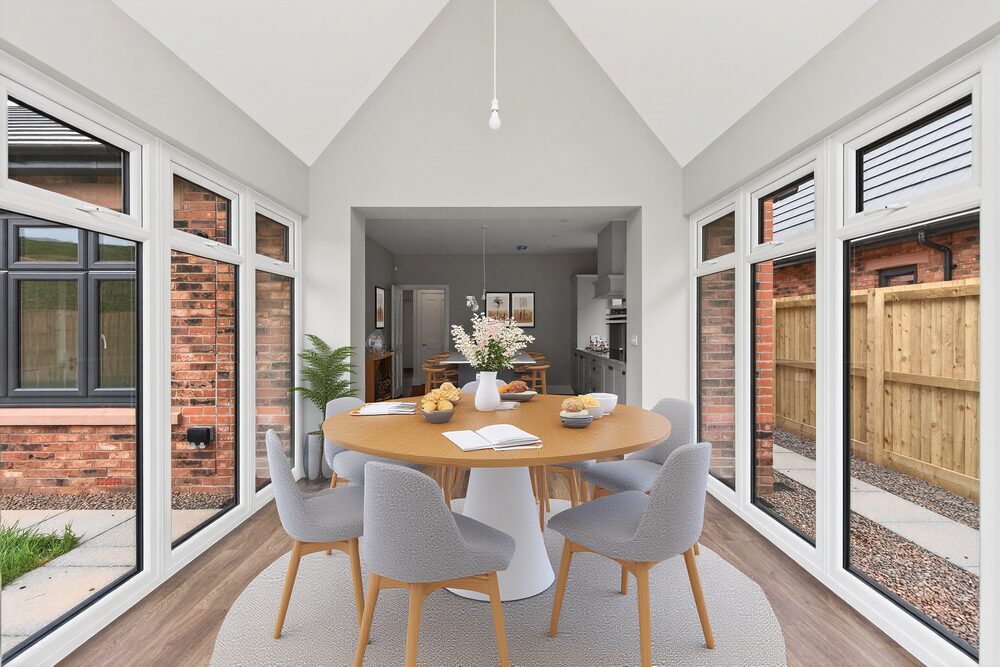
Living room · camera turns 107°


Bedroom · camera turns 33°


Kitchen · camera turns 119°


Living room · camera turns 81°


Entry & stairwell · camera turns 157°
A transitional space that barely takes furniture, so this one is a soft result for both.


The honest summary
Across seven shared rooms, graded angle by angle:
- ListingAI never nailed both angles cleanly (0 of 7), but landed acceptable-or-better on 3 of 7. Where it slipped it was the second angle drifting — a different piece of furniture, a moved rug — and three times it altered the room itself, which we count as an automatic fail.
- Edensign produced one genuinely clean room (1 of 7) and fell short on the other six. Its misses were bigger: whole layouts and furniture sets changing between angles, and a patio surface swapped for synthetic turf.
- Our July 2026 conclusion: neither result set was reliable enough to release. One tool was wrong less often; both were wrong too often.
That is exactly why, today, we recommend staging one strong photo of each room rather than chasing matching angles — and taking a few attempts per room until you have one you are happy with.
Method: seven rooms both systems accepted, each system's two output angles first judged blind for furniture match, placement and architecture by two AI graders (the second re-derives the camera geometry from landmarks before seeing the first's scores), then reviewed by hand angle by angle. Edensign produced three variations per room; we show the first. Same input photos for both, verified identical.
September update: what the beta makes possible
- Upload your room. Add two or more original views and choose a style.
- Accept the first look. Then stage the rest together or one at a time.
- Start from a photo you love. Open an accepted result and choose Add to a room, then create a new room or choose an existing one.
Accepted views guide later generations. Review each result against the originals before accepting; furniture details and placement can still vary.
Ready to try a room?
Professional, Expert or an active 30-day Professional pass · Precision Fast or Pro.
How image credits work now
Room staging follows the same basic generate-and-accept pattern as single-photo editing:
- Generate a preview. Each generation uses credits, including previews you later reject. Trying again uses more generation credits.
- Accept to keep it. Accepting a preview adds an acceptance charge. Rejecting it does not add that charge, but the generation credits have already been used.
- Usage varies. The model, output size and reference inputs actually used affect the charge. Creating a room, uploading more originals or reusing an accepted design does not add a generation charge. Unused uploaded photos do not add to an attempt's generation charge.
The room checks your available credits before generation and acceptance. See the image credit guide for the current explanation.
Historical price comparison · July 2026
The following comparison is retained from the original article, including the ListingAI plan example used at the time. It is not a current price quote. The competitor figures came from Edensign's advertised pricing in July 2026.
| Plan | Per month | Staged images | Per image |
|---|---|---|---|
| ListingAI Professional | $36 | Varies (300 credits) | Varies by model, photo size and retries |
| Edensign Starter | $29 | 15 | $1.93 |
| Edensign Pro | $59 | 50 | $1.18 |
| Edensign Premium | $129 | 150 | $0.86 |
Edensign figures are their own advertised monthly prices and per-photo rates from July 2026. Their advertised yearly billing prices were Starter $20, Pro $45 and Premium $117 a month. ListingAI uses credits rather than a fixed number of staged images, so the number you keep depends on your model, photo size and how many previews you generate.
For more examples, see the plain-English image credit guide. For the current room workflow, read the September beta guide.
Appendix A: the July 2026 grading rubric
Every result is scored against the original photos and the approved staging by two independent automated judges. The second works adversarially: it derives the camera relationship itself from fixed landmarks (windows, doors, fireplaces) before reading the first judge's scores, and its verdict overrides. Judges are warned about both failure modes we've caught: passing results that copied the wrong viewpoint, and failing correct results by misreading mirrored layouts.
| Dimension | 2 | 1 | 0 |
|---|---|---|---|
| Furniture match | Same pieces, style, colours, count as the approved staging | Mostly same, one swap or missing piece | Different furniture set |
| Placement coherence | Every major piece in the geometrically correct real-world spot for the new camera | Most correct, one piece drifted | Layout re-invented |
| Architecture fidelity | Walls, windows, doors, floors exactly as the real photo | Minor texture drift | Structure altered or invented |
Works well (pass) = furniture 2, placement 2, architecture at least 1. OK (minor) = one small defect a casual viewer might miss. Fail = obviously inconsistent. Placement is judged in real-world terms: a sofa on the north wall stays on the north wall, whatever the camera does. Judges also verify each pair really shows the same room - two pairs in our fresh set turned out to be different rooms of the same house (matching paint and flooring, irreconcilable walls) and were disqualified.
Appendix B: July 2026 benchmark results
Full per-model results on the 10-room benchmark (real listing photos, two angles each, camera moves from 30° to nearly 180°):
| Model | Idea | Works well | OK or better | Cost/room |
|---|---|---|---|---|
| SG 1.0 · Echo | Reference the approved photo (3 prompt strategies) | 0/10 | 1/10 | $0.27 |
| SG 1.2 · Twin | Both angles in one image (+ hardened variants) | 1/10 | 5/10 | $0.24–$1.93 |
| SG 2.0 · Compass | Floor-plane geometry hints | 0/10 | 4/10 | $0.15–$0.30 |
| SG 2.4 · Dolly | Video camera-move bridge (+ completeness repair) | 0/10 | 5/10 | ~$1.10 |
| SG 3.0 · Parallax | True 3D warp + AI refine (2 hardening levels) | 1/10 | 6/10 | $0.35–$0.45 |
| SG 3.4 · Keystone | 3D warp + hard architecture lock (fresh held-out set) | 1/10 valid | 2/10 valid | ~$0.26 |
| SG 4.0 · Stable Generation (July 2026 best) | Best model per room | 2/10 (20%) | 6/10 (60%) | $0.35–$1.25 |
Methodology, so you can hold us to it: benchmark rooms are real listing photos from our production system, not studio shots. A second fresh 12-pair set (never used during development) was held out to keep us honest; two of those twelve turned out to be different rooms of the same house, so we disqualified them and report Keystone on the 10 valid pairs. Numbers on fresh pairs run lower than on the development set - which is exactly why we publish both. Grading cost more than generating: roughly 6 million tokens of automated judging across 18 recipes, four model endpoints and 22 rooms.
Related: Can I stage multiple angles of the same room with the same furniture?